| Search |

Web Poll Widget
Sometimes you want a quick bit of feedback from your audience.
Create and deliver online polls quickly and easily.
Creating Web Poll
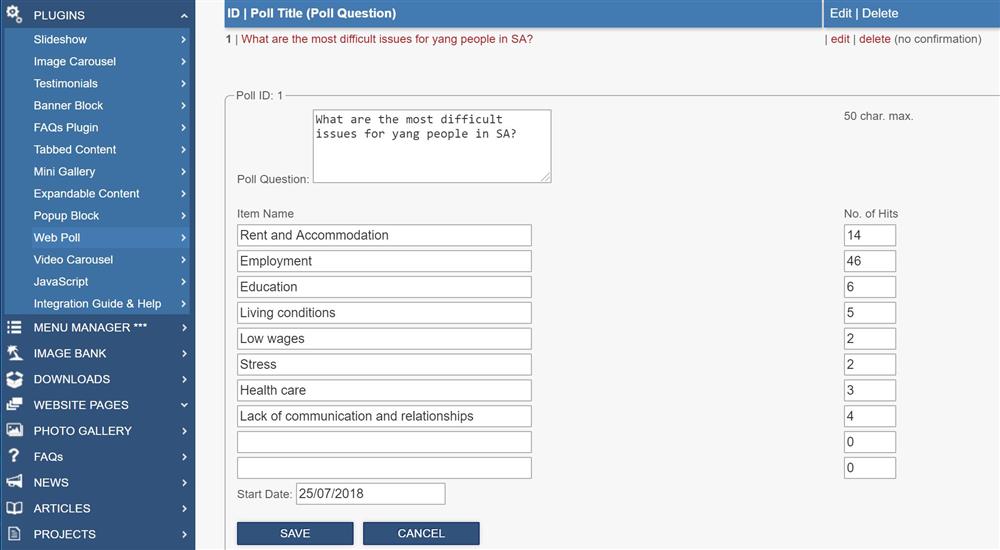
1. In the Control Panel, select PLUGINS / Web Poll
2. Select a Poll to edit or create a new one.
3. Type the Poll Question of the plugin.
4. Type Item Names and initial Number of Hitsif required.
Integrating a Poll into the page
To integrate this plugin into the web page, you need to type its integration code:
[ [ajax:z-web-poll,1;350;100;combined] ]
Where:
1 - Poll ID
350 - height of the widget in pixels
100 - width in % (or in pixels if the value is more than 100)
Example