| Search |

Adding Articles
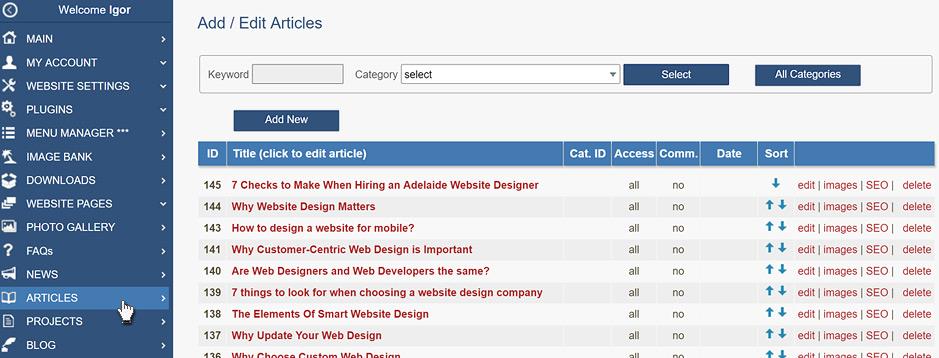
In the Control Panel click ARTICLES (NEWS, BLOG or PROJECTS ). You will see a list of all articles in the section. Here you can add, edit and delete articles.
In the Category drop-down box, select a category if required and click Select. You will see articles related to this category. Now press Add New button.
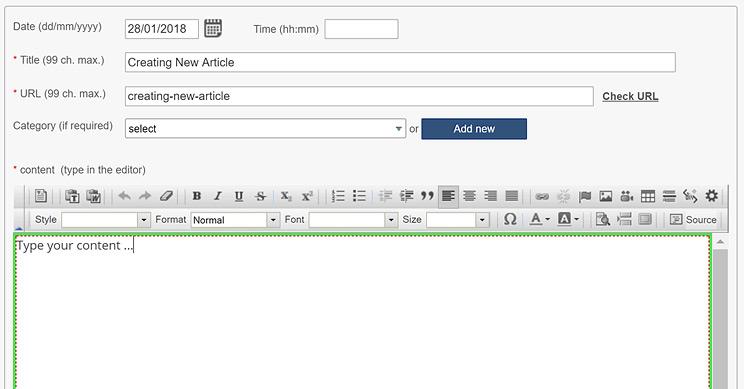
Type the Title of this article.
In the Content box, type/paste the content of the article.
Do not paste text directly from MS Word or another webpage, because this will take a lot of "rubbish" (unnecessary formatting). Use Windows Notepad to clean the text first, then paste it into the Content box.
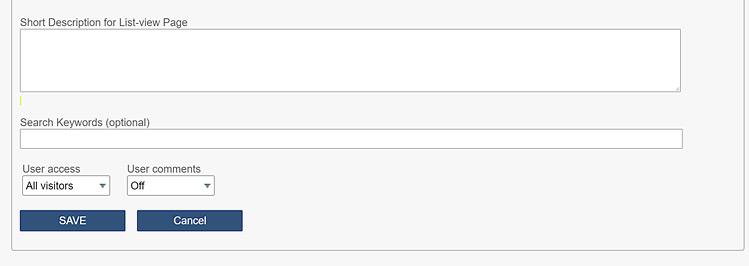
In the Short Description box, enter a brief overview of your article. If you leave this box empty, a short description will be generated automatically.
Press SAVE button.
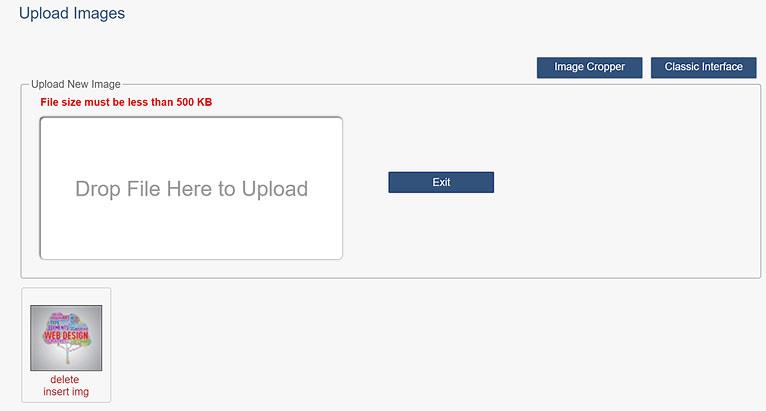
You will be redirected to the next stage - Image uploading. Drag images to the dropbox.
Press Exit button when finished.
CONTENT (step-by-step)
ACCOUNT SETTINGS
WEBSITE SETTINGS
Google Analytics and other Scripts
NAVIGATION
CONTENT
IMAGES
MEDIA
PLUGINS
Expandable / Collapsible Block
VIDEOS