| Search |

Adding YouTube Video to a Web Page
YouTube web player seems to be the easiest and most common solution to embed a video onto a website.
To embed a YouTube video, you need:
Step 1. Create a YouTube channel and upload your video to it.
Step 2. Open the video and click Share, then Embed.

Step 3. Copy the embed code the site provides..

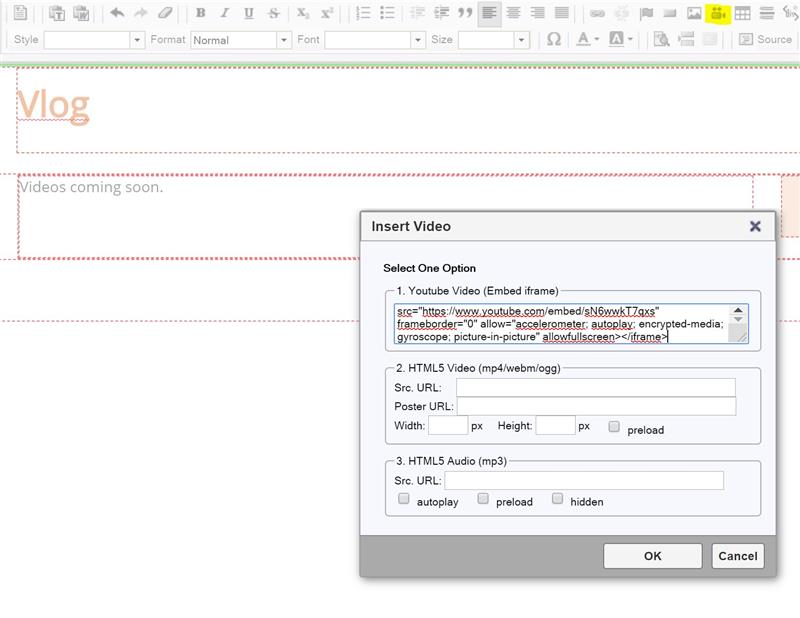
Step 4. In zStudio Editor, place a cursor at the desired position, click Insert/Edit Video icon, paste the code into pop-up and click OK button.
CONTENT (step-by-step)
ACCOUNT SETTINGS
WEBSITE SETTINGS
Google Analytics and other Scripts
NAVIGATION
CONTENT
IMAGES
MEDIA
PLUGINS
Expandable / Collapsible Block
VIDEOS