| Search |

Accordion
Accordion Block are useful when you want to hide and show large amount of content on a page.
It displays collapsible content panels for presenting information in a limited amount of space.
Creating Accordion
1. In the Control Panel, select PLUGINS / Accordion
2. Click Create New Block button.
3. Type a Block Title and press Create button.
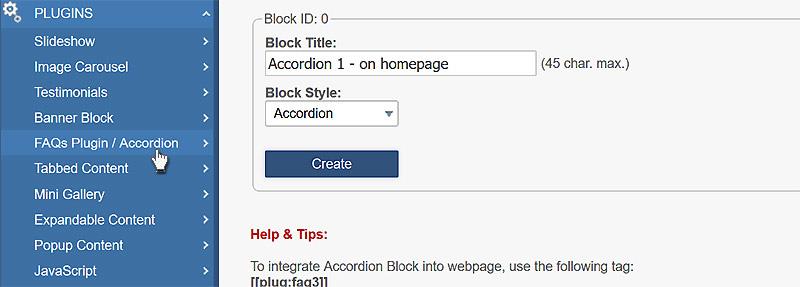
4. Now select a required block to start editing accordion.
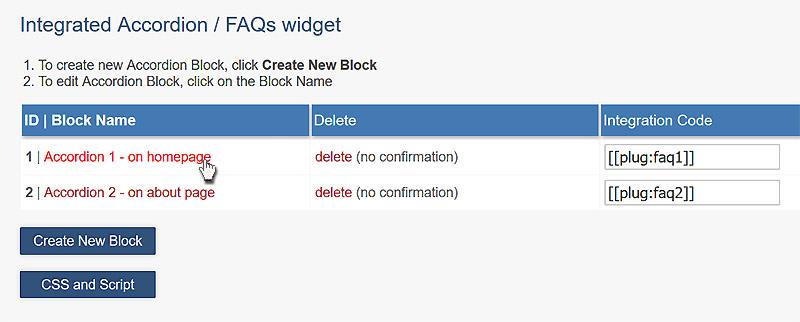
5. Define the heading font format (h2, h3, h4, h5, p)
6. Type or paste a section name and the required Expandable content in the editor.
7. Then click Add/Save button.
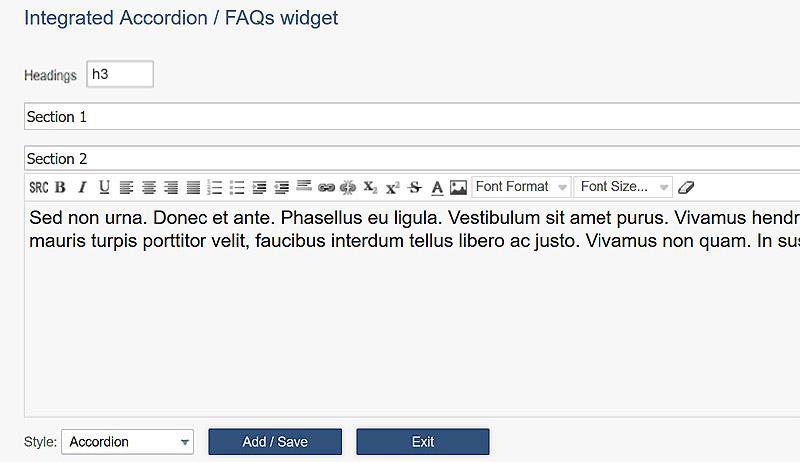
8. To activate accordion, you need to add a CSS and some Javascript to the page containing this plugin.
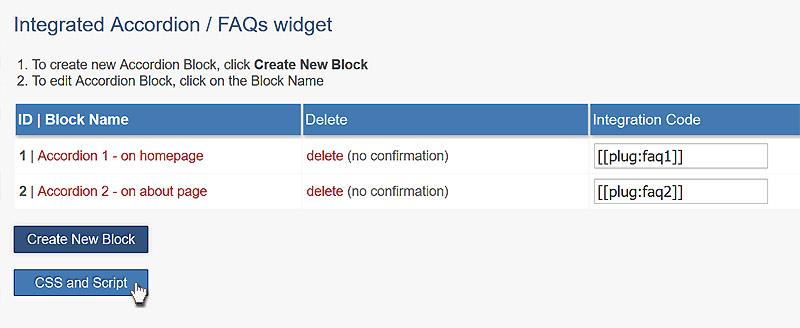
9. Copy the code.
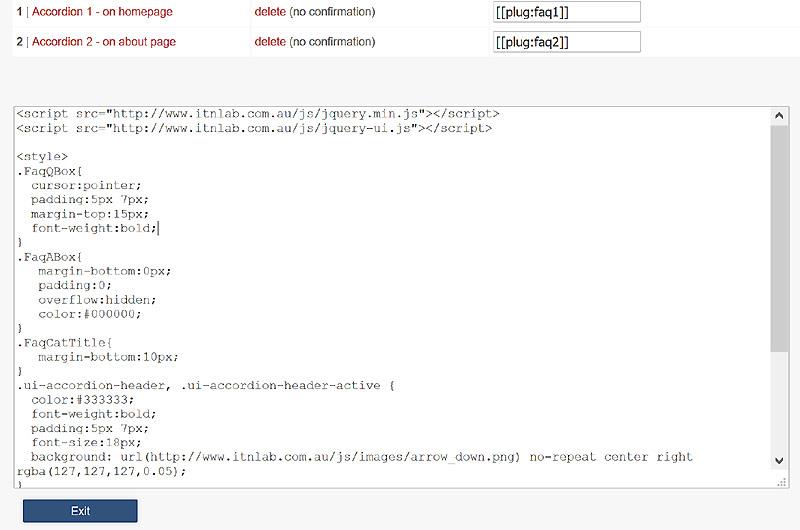
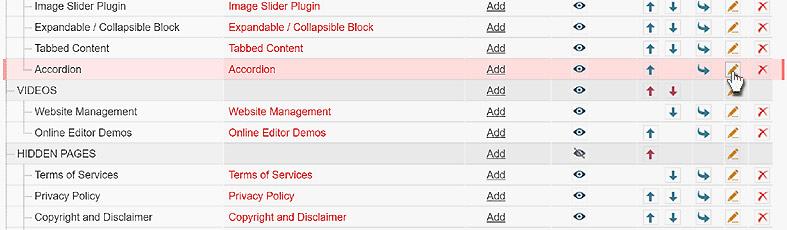
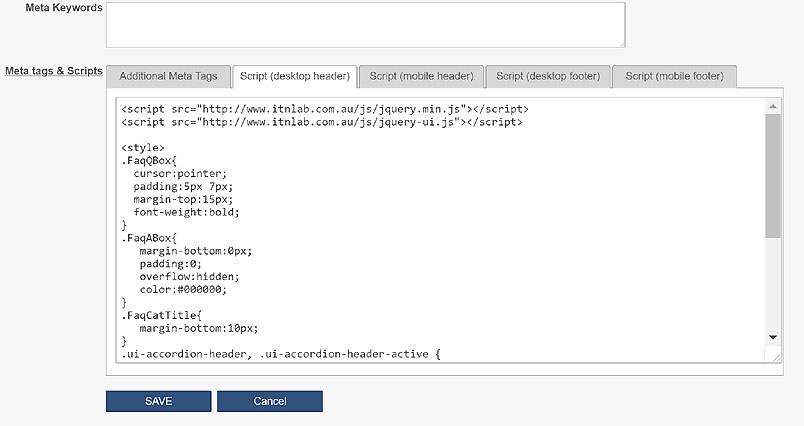
10. Paste the code into the page using a Javascript tool in the Menu manager.
Integrating an Accordion Block into the page.
To integrate an Accordion plugin into the web page, you need to type its integration code:
[ [plug:faq1] ]
Where 1 is the block ID.
All Plugins
AJAX Plugins and DemosSlideshow
Gallery Widget
Mini Gallery
Mini Gallery 2
Image Slider Plugin
Banner Block
Expandable / Collapsible Block
Tabbed Content
Accordion
News Ticker
Image Carousel
Image Carousel - River Style
Video Carousel
Latest News Widget
Testimonial Slider
Latest Project Widget
Line and Pie Charts Plugin
Web Poll Widget
Example
Section 1
 Excepteur sint occaecat cupidatat non proident, sunt in culpa qui officia deserunt mollit anim id est laborum. Consectetur adipisicing elit, sed do eiusmod tempor incididunt ut labore et dolore magna aliqua. Ut enim ad minim veniam, quis nostrud exercitation ullamco laboris nisi ut aliquip ex ea commodo consequat. Duis aute irure dolor in reprehenderit in voluptate velit esse cillum dolore eu fugiat nulla pariatur.
Section 2
Section 3
- List item one
- List item two
- List item three
Section 4